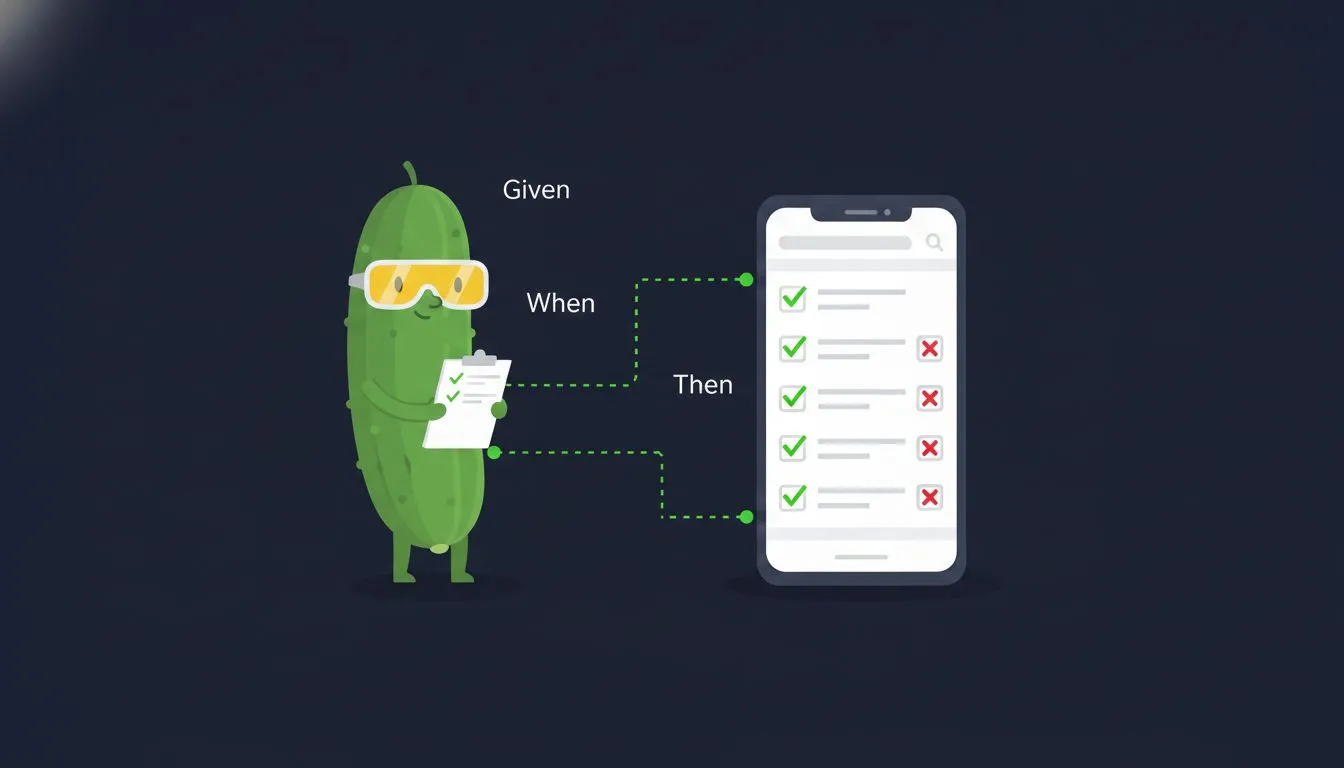
Sa katapusan ng post na ito, magkakaroon ka ng Detox na nagpapatakbo sa isang iOS simulator at isang Android emulator, kasama ang Cucumber feature files na nakasulat sa plain English na nakapatong sa ibabaw. Limang hakbang: i-install ang Detox, i-wire ang Cucumber, isulat ang support layer, sumulat ng feature, patakbuhin ito.
Ilang salita tungkol sa pairing na ito
Hindi default na React Native E2E stack ang Detox + Cucumber. Karamihan ng mga team ay nananatiling imperative kasama ang Jest bilang runner, o lumilipat sa WebdriverIO o Maestro kapag gusto nila ng flow-style tests. Makatuwirang mga pagpipilian iyon. Maganda lalo na ang Maestro kung ang gusto mo lang ay mag-record ng isang flow.
Kaya bakit magdagdag ng BDD layer sa ibabaw ng Detox?
Dahil kapag mayroon nang feature files, kayang basahin ng QA at ng mga PM. Makakapag-suggest sila ng scenarios na hindi mo maiisip isulat. Pinananatili ng imperative Detox ang test design sa loob ng engineering. Inilalabas ito ng Cucumber.
Ang gastos ay dalawang dagdag na dependencies at isang support layer. Maliit ang gastos, sa aking karanasan, kapag stable na ang step definitions. Limang minuto na lang ang bagong scenarios.
Bakit BDD para sa E2E tests
Karamihan ng Detox examples ay nagpapakita ng imperative test code:
await element(by.id('email-input')).typeText('user@example.com');
await element(by.id('password-input')).typeText('password123');
await element(by.id('login-button')).tap();
await expect(element(by.id('home-screen'))).toBeVisible();
Gumagana ito. Parang code ang basa, hindi test specification. Kapag tinanong ng PM “ano ba talaga ang sinasaklaw ng login test?”, itinuturo mo sila sa isang TypeScript file.
Pinapayagan ka ng Cucumber na isulat ang parehong test sa Gherkin:
Feature: User Authentication

  Scenario: Successful login
    Given the app is launched
    And I am on the "Login" screen
    When I type "user@example.com" into the input with testID "email-input"
    And I type "password123" into the input with testID "password-input"
    And I tap the "Login" button
    Then I should see the "Home" screen
Parehong Detox commands sa ilalim. Kahit sino sa team ay makakabasa na ngayon ng test, makakapag-review, at makakapag-suggest ng mga scenario na napalampas mo. Kapag bumagsak ang isa, ang linyang nasira ay nasa plain language, hindi sa TypeScript.
Mga assumption
Ang walkthrough na ito ay isinulat para sa:
- React Native 0.74+ (bare workflow, hindi Expo)
- TypeScript na may standard na RN Babel config
- macOS host (iOS simulator at Android emulator)
- Xcode 16+ na may Command Line Tools, kasama ang isang iOS simulator na nagawa na (halimbawa iPhone 16)
- Android Studio na may kahit isang AVD na nagawa na (halimbawa Pixel 7 API 35)
- Node 18 o mas bago
Binuo ko ito sa Detox 20, @cucumber/cucumber 12, ts-node, at isang kamakailang React Native. Ang mga bahaging malamang na mag-drift ay ang Detox init signature at ang Cucumber config keys, kaya ininote ko pareho inline.
Kung nasa Expo ka, kailangan ng Detox ng custom dev client. Pareho lang ang Cucumber layer anuman ang mangyari.
Step 1. I-install ang Detox at Cucumber
Kailangan mo ang Detox (para sa device automation) at Cucumber (para sa BDD layer):
yarn add -D detox @cucumber/cucumber ts-node tsconfig-pathsKailangan din ng Detox ang CLI nito:
brew tap wix/brew
brew install applesimutils
Step 2. Ang tatlong config files
Tatlong file ang nag-uugnay sa lahat: .detoxrc.js (o .detox.config.js. Tinatanggap ng Detox ang dalawa), cucumber.js, at isang slim na tsconfig.cucumber.json. Dapat pangalanang cucumber.js (o .cjs/.mjs/.json) ang Cucumber config: iyon ang filename na nilo-load ng cucumber-js by default, at walang nagpapasa ng explicit na --config sa setup na ito.
.detoxrc.js
Ang Detox configuration ang nagde-define ng app builds at device targets:
Isang bagay na HINDI ginagawa ng .detoxrc.js dito: ang pag-connect ng Detox sa Cucumber. Kapag Cucumber ang runner, direktang tinatawag mo ang cucumber-js at hindi kailanman kino-consult ang sariling testRunner config ng Detox; ang support file sa step 3 ang tanging tulay. Inilalarawan lang ng .detoxrc.js ang apps at devices:
module.exports = {
  apps: {
    'ios.debug': {
      type: 'ios.app',
      binaryPath: 'ios/build/Build/Products/Debug-iphonesimulator/YourApp.app',
      build: 'xcodebuild -workspace ios/YourApp.xcworkspace -scheme YourApp -configuration Debug -sdk iphonesimulator -derivedDataPath ios/build',
    },
    'android.debug': {
      type: 'android.apk',
      binaryPath: 'android/app/build/outputs/apk/debug/app-debug.apk',
      build: 'cd android && ./gradlew assembleDebug assembleAndroidTest -DtestBuildType=debug',
    },
  },
  devices: {
    simulator: {
      type: 'ios.simulator',
      device: { type: 'iPhone 16' },
    },
    emulator: {
      type: 'android.emulator',
      device: { avdName: 'Pixel_7_API_35' },
    },
  },
  configurations: {
    'ios.sim.debug': {
      device: 'simulator',
      app: 'ios.debug',
    },
    'android.emu.debug': {
      device: 'emulator',
      app: 'android.debug',
    },
  },
};
cucumber.js
Ang Cucumber configuration ang nagsasabi kung saan hahanapin ang feature files, step definitions, at kung paano i-format ang output:
require('ts-node').register({
  transpileOnly: true,
  compilerOptions: { module: 'commonjs', jsx: 'react' },
});

module.exports = {
  default: {
    paths: ['src/features/**/__tests__/*.feature', 'e2e/**/*.feature'],
    require: [
      'src/test-utils/cucumber/support/**/*.ts',
      'src/test-utils/cucumber/step-definitions/**/*.{ts,tsx}',
      'src/**/__tests__/**/*.cucumber.{ts,tsx}',
    ],
    format: ['./src/test-utils/cucumber/formatters/CheckmarkFormatter.js'],
    formatOptions: { colorsEnabled: true },
    strict: true,
    parallel: 2,
    retry: 1,
  },
};
Ang pag-register ng ts-node sa itaas ng config file (sa halip na sa pamamagitan ng requireModule) ang pinakamadaling daan sa kasalukuyang Cucumber. Pinapayagan ka rin nitong itago nang lokal ang compiler options.
| Option | Ano ang ginagawa |
|---|---|
paths | Kung saan nakalagay ang mga Gherkin feature file |
require | Kung saan nakalagay ang step definitions at support files |
format | Custom formatter para sa readable output |
strict | Nagfa-fail kapag may undefined o pending steps |
parallel | Bilang ng parallel workers |
retry | Retries para sa flaky tests sa parallel mode |
tsconfig.cucumber.json
Isang slim na TypeScript config para sa Cucumber runtime, hiwalay sa pangunahing app tsconfig:
{
  "compilerOptions": {
    "module": "commonjs",
    "target": "ES2020",
    "lib": ["ES2020"],
    "moduleResolution": "node",
    "jsx": "react",
    "esModuleInterop": true,
    "skipLibCheck": true,
    "isolatedModules": true,
    "strict": false,
    "baseUrl": ".",
    "paths": { "@app/*": ["src/*"] },
    "types": ["node", "detox"]
  },
  "include": ["src/**/*.ts", "src/**/*.tsx"]
}
Dalawang bagay na dapat tandaan. Ang "types": ["node", "detox"] ang nagtuturo sa TypeScript na ang device, element, by, at waitFor ay global. Kung wala ito, kukulay-pula ang bawat step definition sa device.launchApp. Ang "strict": false ay isang praktikal na desisyon para sa test files (magpapasalamat ka sa sarili mo kapag nakikipaglaban sa optional chains sa scenario results).
Ituro ang cucumber-js sa config na ito sa pamamagitan ng TS_NODE_PROJECT=tsconfig.cucumber.json sa npm script.
Step 3. Ang support layer
Tatlong file ang nagse-set up ng Detox lifecycle sa loob ng Cucumber: detox-setup.ts, hooks.ts, at world.ts.
detox-setup.ts
Inilalantad ng Detox 20 ang programmatic lifecycle nito sa pamamagitan ng detox/internals entry point. Ang public 'detox' import ang nagbibigay sa iyo ng device, element, by, waitFor. Ang lifecycle hooks (init, cleanup, onTestStart, onTestDone) ay nasa ilalim ng 'detox/internals':
import detox from 'detox/internals';

export const setupDetox = async (workerId: string = '0') => {
  const config = process.env.DETOX_CONFIGURATION;
  if (!config) {
    throw new Error('DETOX_CONFIGURATION is not set (e.g. ios.sim.debug)');
  }
  await detox.init({ workerId: `cucumber-worker-${workerId}` });
};

export const cleanupDetox = async () => {
  await detox.cleanup();
};

export { detox };
hooks.ts
Ang nag-uugnay sa lifecycle ng Cucumber at sa device management ng Detox:
import { After, AfterAll, Before, BeforeAll, Status } from '@cucumber/cucumber';
import { device } from 'detox';

import { cleanupDetox, detox, setupDetox } from './detox-setup';
import { DetoxWorld } from './world';

BeforeAll({ timeout: 180 * 1000 }, async function () {
  const workerId = process.env.CUCUMBER_WORKER_ID ?? '0';
  await setupDetox(workerId);
  await device.launchApp({
    newInstance: true,
    launchArgs: { detoxEnableSynchronization: 0 },
  });
  await device.enableSynchronization();
});

Before({ timeout: 30000 }, async function (this: DetoxWorld, { pickle }) {
  await detox.onTestStart({
    title: pickle.name,
    fullName: pickle.name,
    status: 'running',
  });
  await device.reloadReactNative();
});

After(async function (this: DetoxWorld, { pickle, result }) {
  const testStatus = result?.status === Status.PASSED ? 'passed' : 'failed';
  if (result?.status === Status.FAILED) {
    try {
      await device.takeScreenshot(pickle.name);
    } catch (error) {
      console.error('Failed to take screenshot:', error);
    }
  }
  await detox.onTestDone({
    title: pickle.name,
    fullName: pickle.name,
    status: testStatus,
  });
});

AfterAll(async function () {
  await cleanupDetox();
});| Hook | Timeout | Ano ang ginagawa |
|---|---|---|
BeforeAll | 180s | Nagbo-boot ng simulator, nagla-launch ng app |
Before | 30s | Nagre-reload ng React Native para sa bagong state bawat scenario |
After | default | Kumuha ng screenshot kapag bumagsak, nagno-notify sa Detox |
AfterAll | default | Nilalaglag ang Detox |
Mahalaga ang synchronisation dance. Mag-launch na naka-disable ang synchronisation (detoxEnableSynchronization: 0), tapos i-enable muli pagkatapos tumakbo ang app. Iniiwasan nito ang Detox timeout na nakakatagpo mo kapag mabagal ang initial bundle load.
world.ts
Isang custom Cucumber World na nagdadala ng Detox context sa pagitan ng mga steps:
import { IWorldOptions, setWorldConstructor, World } from '@cucumber/cucumber';
import { device } from 'detox';

export class DetoxWorld extends World {
  device: typeof device;
  testID: string | null;

  constructor(options: IWorldOptions) {
    super(options);
    this.device = device;
    this.testID = null;
  }

  setTestID(id: string) { this.testID = id; }
  getTestID(): string {
    if (!this.testID) throw new Error('No testID set');
    return this.testID;
  }
}

setWorldConstructor(DetoxWorld);
Ang pagtawag sa setWorldConstructor ang nag-wire sa class na ito sa bawat this sa loob ng isang step. Kalimutan ang tawag na iyon at ang this.device ay undefined.
Step 4. Pagsusulat ng iyong unang feature file
Ang feature files ay plain text na may Gherkin syntax. Bawat scenario ay naglalarawan ng isang user flow. Maglagay ng isang file sa src/features/Auth/__tests__/Login.feature:
Feature: User Authentication

  Scenario: Successful login
    Given the app is launched
    And I navigate to the Login screen
    When I type "testuser@example.com" into the input with testID "email-input"
    And I type "SecurePass123" into the input with testID "password-input"
    And I tap the "Login" button
    Then I should see the "Home" screen

  Scenario: Login with invalid credentials
    Given the app is launched
    And I navigate to the Login screen
    When I type "testuser@example.com" into the input with testID "email-input"
    And I type "WrongPassword" into the input with testID "password-input"
    And I tap the "Login" button
    Then I should see text "Invalid email or password"

  Scenario: Deep link opens password reset
    Given the app is launched via password reset deep link
    Then I should see the "Reset Password" screen
Pinapayagan ng tags na i-filter kung aling mga scenarios ang tatakbuhin:
@accessibility @voiceover @ios
Feature: VoiceOver Gestures

  @eaa
  Scenario: Navigate login form with swipe gestures
    ...
Tapos sa test command:
yarn detox:ios:test --tags "@accessibility and @ios"Step 5. Pagsusulat ng step definitions
Bawat Gherkin step ay naka-map sa isang function. Ang step definitions ay ang mga bahagi na gagamitin mong muli sa bawat feature file sa sandaling umiral na ang mga ito.
Mga karaniwang steps
import { Given, When, Then } from '@cucumber/cucumber';

Given('the app is launched', async function () {
  await device.terminateApp();
  await device.clearKeychain(); // iOS only: silent no-op sa Android
  await device.launchApp({ newInstance: true });
  await new Promise(r => setTimeout(r, 500));
});

Given('I am on the {string} screen', async function (screen: string) {
  const testID = `${screen.toLowerCase().replace(/\s+/g, '-')}-screen`;
  await waitFor(element(by.id(testID)))
    .toBeVisible()
    .withTimeout(20000);
});

When('I tap the {string} button', async function (name: string) {
  const testID = `${name.toLowerCase().replace(/\s+/g, '-')}-button`;
  await element(by.id(testID)).tap();
});

When('I type {string} into the input with testID {string}',
  async function (text: string, testID: string) {
    await waitFor(element(by.id(testID)))
      .toBeVisible()
      .withTimeout(5000);
    await element(by.id(testID)).replaceText(text);
  }
);

Then('I should see the {string} screen', async function (screen: string) {
  const testID = `${screen.toLowerCase().replace(/\s+/g, '-')}-screen`;
  await new Promise(r => setTimeout(r, 500));
  await waitFor(element(by.id(testID)))
    .toBeVisible()
    .withTimeout(20000);
});

Then('I should see text {string}', async function (text: string) {
  await waitFor(element(by.text(text)))
    .toBeVisible()
    .withTimeout(5000);
});
Tatlong pattern na dapat tandaan dito. Una, isang consistent na testID convention: ang screen names ay nagiging kebab-case na may -screen o -button suffix. Ang “Login” ay tumutugma sa login-screen, ang “Home” sa home-screen, ang “Submit” sa submit-button. Pangalawa, dumadaan sa waitFor na may timeout ang bawat assertion, hindi raw expect. Kailangan ng settling time ng mga animations at network calls at hindi ito ibinibigay ng expect. Pangatlo, replaceText kaysa typeText. Nag-a-append ang typeText sa kung anuman ang nandoon na. Nag-c-clear muna ang replaceText. Para sa form inputs, gusto mo ang pangalawa.
I-save ang file bilang src/test-utils/cucumber/step-definitions/common.cucumber.tsx at kukunin ito ng Cucumber sa pamamagitan ng glob sa iyong cucumber.js.
Mga strategy sa paghahanap ng elements
Minsan hindi sapat ang by.id(). Isang step definition na hindi nasisira sa pagitan ng iOS at Android ay sumusubok ng maraming strategy:
When('I tap the text {string}', async function (text: string) {
  try {
    await element(by.text(text)).tap();
  } catch {
    try {
      await element(by.label(text)).tap();
    } catch {
      const testID = text.toLowerCase().replace(/\s+/g, '-');
      await element(by.id(testID)).tap();
    }
  }
});
Subukan muna ang by.text() (nakikitang text), bumalik sa by.label() (accessibility label), tapos by.id() (testID). Hina-handle nito ang mga buttons na magkaiba ang pag-render ng text sa iba’t ibang platform.
Ano ang kausap ng app habang tumatakbo ang mga test na ito
Ang mga scenario sa itaas ay nagta-type ng credentials at umaasa ng Home screen, na nagbubukas ng tanong na kailangang sagutin ng bawat E2E setup: anong backend ang tinatamaan ng app? Patakbuhin ito laban sa totoong backend at babagsak ang suite mo tuwing nagkaka-hiccup ang staging. Ang deterministic na sagot ay ang pag-mock sa bundle level gamit ang isang E2E build flag, na may sarili nitong post: Metro runtime mocking para sa deterministic React Native E2E tests. Hangga’t wala ka pang layer na iyon, ituro ang E2E build sa isang stable na test environment at ituring ang network flakes bilang suite failures, hindi test failures.
Isang custom formatter
Maingay ang default output ng Cucumber. Nagbibigay ang custom formatter ng malinis na results na mas madaling basahin sa CI logs:
✓ Feature: User Authentication
  ✓ Scenario: Successful login (2340ms)
    ✓ Given the app is launched (890ms)
    ✓ And I navigate to the Login screen (450ms)
    ✓ When I type "testuser@example.com" into the input with testID "email-input" (120ms)
    ✓ And I type "SecurePass123" into the input with testID "password-input" (95ms)
    ✓ And I tap the "Login" button (85ms)
    ✓ Then I should see the "Home" screen (700ms)

  ✗ Scenario: Login with expired token (1890ms)
    ✓ Given the app is launched (850ms)
    ✓ And I navigate to the Login screen (420ms)
    ✗ Then I should see the "Session Expired" screen (620ms)
      Error: Element not found: session-expired-screen

2 scenarios (1 passed, 1 failed)
12 steps (11 passed, 1 failed)
Ang formatter ay isang maliit na class na nagsu-subscribe sa envelope events ng Cucumber (testStepFinished, testCaseFinished), nagma-map ng status ng bawat step sa isang icon at kulay, at nagpi-print ng linya. Mga 80 lines lahat-lahat.
Ang buong bersyon sa aking repo ay nagta-track ng pickles, nagma-map ng test steps pabalik sa kanilang Gherkin text, nagti-time ng bawat step, at nag-iimprenta ng summary na may pass at fail counts. Ang sketch sa itaas ay ang hugis; ang buong file ay nasa src/test-utils/cucumber/formatters/CheckmarkFormatter.js sa repo na naka-link sa dulo.
Parallel execution
Kayang patakbuhin ng Detox ang scenarios sa maraming simulators. Ang parallel setting ng Cucumber ang nagtatakda ng bilang ng workers, at bawat worker ay may sariling Detox instance.
# Patakbuhin gamit ang 3 parallel simulators
DETOX_WORKERS=3 yarn detox:ios:test:parallel
Binabasa ng BeforeAll hook ang CUCUMBER_WORKER_ID at ipinapasa ito sa setupDetox para ang bawat worker ay nag-i-initialise laban sa sarili nitong simulator. Dini-distribute ng Cucumber ang scenarios sa mga workers para sa iyo.
| Setting | Local | CI |
|---|---|---|
| iOS workers | 2-3 | 3 |
| Android workers | 1-2 | 2 |
| Retry kapag bumagsak | 1 | 1 |
| Fail fast | Hindi | Hindi |
Isang tip sa parallel runs. Panatilihing naka-off ang fail-fast kapag tumatakbo nang parallel. Hindi dapat papatayin ng isang flaky scenario ang ibang workers, at kapag naka-enable ang retry, may pangalawang pagkakataon ang flake habang nagpapatuloy ang iba. Sa single-worker run, OK lang naka-on ang fail-fast.
Accessibility testing gamit ang BDD
Hindi direktang nagdo-drive ang Detox ng VoiceOver o TalkBack. May trabaho pa rin ang manual screen reader testing. Ang kaya naman ng Detox ay i-check kung tama ang mga accessibility labels, roles, at traits sa bawat element. Bilang Gherkin scenarios, nahuhuli ng mga check na ito ang isang uri ng regression na walang mapapansin nang manu-mano hanggang sa magbukas ng app ang isang user na may VoiceOver.
Ang aking repo ay may dalawang feature file para dito, isa para sa iOS patterns at isa para sa Android.
@accessibility @voiceover @ios @eaa
Feature: VoiceOver Gestures

  Scenario: Navigate login form with swipe right
    Given the app is launched
    And I am on the "Login" screen
    And VoiceOver focus is on the "Email" element
    When I swipe right to move to the next element
    Then VoiceOver focus should move to the next element
    And I should hear the accessibility label for "Password"

  Scenario: Activate login button with double tap
    Given the app is launched
    And I am on the "Login" screen
    And I have entered valid credentials
    And VoiceOver focus is on the "Login" button
    When I double tap to activate
    Then I should see the "Home" screen

  Scenario: Error announced via live region
    Given the app is launched
    And I am on the "Login" screen
    And I have entered invalid credentials
    When I double tap to activate
    Then the error message should be announced via a live region
Ang step definitions para sa accessibility testing ay nagpapanatili ng state:
interface AccessibilityState {
  focusedElementIndex: number;
  visitedElements: string[];
  lastAnnouncement: string | null;
  granularity: 'characters' | 'words' | 'lines' | 'headings' | 'default';
}
Tina-track nito ang expected focus order, announcement text, at reading granularity. Mga 50 scenarios sa dalawang feature file ang sumasaklaw sa labels, focus behaviour, live region announcements, at custom actions. Hindi nito pinapalitan ang manu-manong pagsusuri gamit ang tunay na screen reader. Pinipigilan nito ang mga halatang regression na ma-ship.
Patakbuhin ito
Ang mga script na ginagamit ko ay nasa package.json nang ganito:
{
  "scripts": {
    "detox:ios:build": "detox build -c ios.sim.debug",
    "detox:ios:test": "DETOX_CONFIGURATION=ios.sim.debug TS_NODE_PROJECT=tsconfig.cucumber.json cucumber-js",
    "detox:ios:test:parallel": "yarn detox:ios:test --parallel ${DETOX_WORKERS:-2} --retry 1",
    "e2e:ios": "yarn detox:ios:build && yarn detox:ios:test"
  }
}
Pansinin na ang test script ay nagpapatakbo nang direkta ng cucumber-js sa halip na detox test. Sa Cucumber bilang runner, hindi ka dumadaan sa runner wrapper ng Detox. Nag-i-initialise ang Detox mula sa iyong support file.
Unang run:
yarn e2e:ios$ detox build -c ios.sim.debug
Building app for ios.sim.debug...
xcodebuild ... ** BUILD SUCCEEDED **
$ cucumber-js
✓ Feature: User Authentication
✓ Scenario: Successful login (2340ms)
✓ Scenario: Login with invalid credentials (1820ms)
2 scenarios (2 passed)
12 steps (12 passed)Kung mag-fail ang xcodebuild sa unang run, i-check na talagang umiiral ang simulator na nakapangalan sa .detoxrc.js (xcrun simctl list devices). Ang pinakakaraniwang first-run trip ay isang hardcoded na iPhone 16 na hindi mo kailanman ginawa sa Xcode.
Mga karaniwang pagkakamali
Ang synchronisation ang pinakamahirap na bahagi. Sinusubukan ng Detox na maghintay nang awtomatiko hanggang idle ang app, pero nakakalito ang mga animations, timers, at network calls. Ang launch-with-sync-disabled pattern (detoxEnableSynchronization: 0 tapos enableSynchronization() pagkatapos) ang iniiwasan ang pinakakaraniwang timeout.
Nag-a-append ang typeText, nagpapalit ang replaceText. Kung may placeholder text o dating input ang isang field, dinadagdagan ito ng typeText. Gamitin ang replaceText para sa form inputs kung saan gusto mo ng malinis na value.
Screenshots kapag bumagsak. Kumukuha ng screenshot ang After hook kapag bumagsak ang isang scenario. Kung wala ito, pagpipikit lang sa logs ang pag-debug ng CI failures. Ipangalan ang screenshot sa scenario para maitugma mo ang isang failure sa larawan nito.
Ilarawan ang behaviour, hindi ang implementation. Isulat na “When I log in”, hindi “When I type into email-input and tap login-button”. Ang mga detalye ng implementation ay nasa step definitions, hindi sa Gherkin. Kung hindi kayang basahin ng isang non-engineer ang feature file nang malakas at maintindihan ito, na-leak mo ang detalye sa maling layer.
Ang buong file structure
src/
  test-utils/
    cucumber/
      formatters/
        CheckmarkFormatter.js    # Custom na ✓/✗ formatter
      step-definitions/
        common.cucumber.tsx      # Mga shared steps (tap, type, navigate)
        auth.cucumber.tsx         # Mga authentication steps
        accessibility.cucumber.tsx # Mga VoiceOver + TalkBack steps
      support/
        detox-setup.ts           # Detox initialisation
        hooks.ts                  # BeforeAll/Before/After/AfterAll
        world.ts                  # Cucumber World context
e2e/
  accessibility/
    VoiceOverGestures.feature    # Mga iOS screen reader tests
    TalkBackGestures.feature     # Mga Android screen reader tests
Ano ang nakukuha mo
Isang umaga ang setup. Isang hapon ang unang feature file. Pagkatapos niyan, mabilis na ang pagdagdag ng scenarios dahil reusable ang step definitions sa lahat ng features.
Ang nabuo mo sa katapusan:
- Tests na mababasa ng kahit sino sa team. Product, QA, designers. Ang Gherkin file ang spec at ang test sa isang lugar, at kapag nag-fail ang isang scenario, pinapangalanan ng report ang step na nasira sa halip na isang linya ng test code.
- Parallel execution na gumagana sa Detox. Tatlong simulators, tatlong workers, tatlong beses na mas mabilis sa CI.
- Saklaw sa accessibility regression. Mga 50 scenarios na nagve-verify ng labels, roles, at traits. Hindi pamalit sa manual screen reader testing, kundi isang lambat na pumipigil sa mga halatang regression na makarating sa QA.
Sinasaklaw ng post na ito ang E2E testing. Para sa unit at integration tests, gumagamit ako ng MSW v2 para i-mock ang network layer sa halip na jest.fn(). Magkasundo ang dalawa: MSW para sa mabilis at focused na tests laban sa tunay na HTTP calls; Detox + Cucumber para sa buong user flows sa tunay na device.
Ang code sa post na ito ay mula sa rn-warrendeleon, ang aking personal na React Native project. Lahat ng kumpletong Detox + Cucumber setup, step definitions, custom formatter, at accessibility feature files ay nasa repo.